Web apps and business platforms
When orders, client questions and reports still travel by email and spreadsheet, we build a web platform that works the way your team does: with roles, integrations and code that belongs to you.
Most companies grow on tools that were meant to be temporary: a shared spreadsheet, an inbox where orders land, someone retyping figures into the accounting software. With a handful of people and orders, that holds. Then come duplicate entries, missed emails and the question “who has the latest version?”. A web platform brings that flow into one place, where everyone sees what they need to see and nothing more.
Who it is for
We usually build platforms for companies that already have a working process, but one that leans on manual effort. Typical situations:
- Wholesalers and manufacturers whose trade customers order by email, phone or photo, while sales staff retype every order.
- Service businesses that exchange documents, contracts and status updates with clients through long email threads.
- Teams with internal processes – approvals, rotas, stock, task tracking – spread across several spreadsheets at once.
- Managers who have to pull the key numbers together by hand from more than one system.
If what you need would suit any company without changes, off-the-shelf software is often the cheaper route, and we will say so. A custom platform makes sense when your process is part of your advantage, or when ready-made tools force your team to work around them.
What we build
B2B ordering platforms
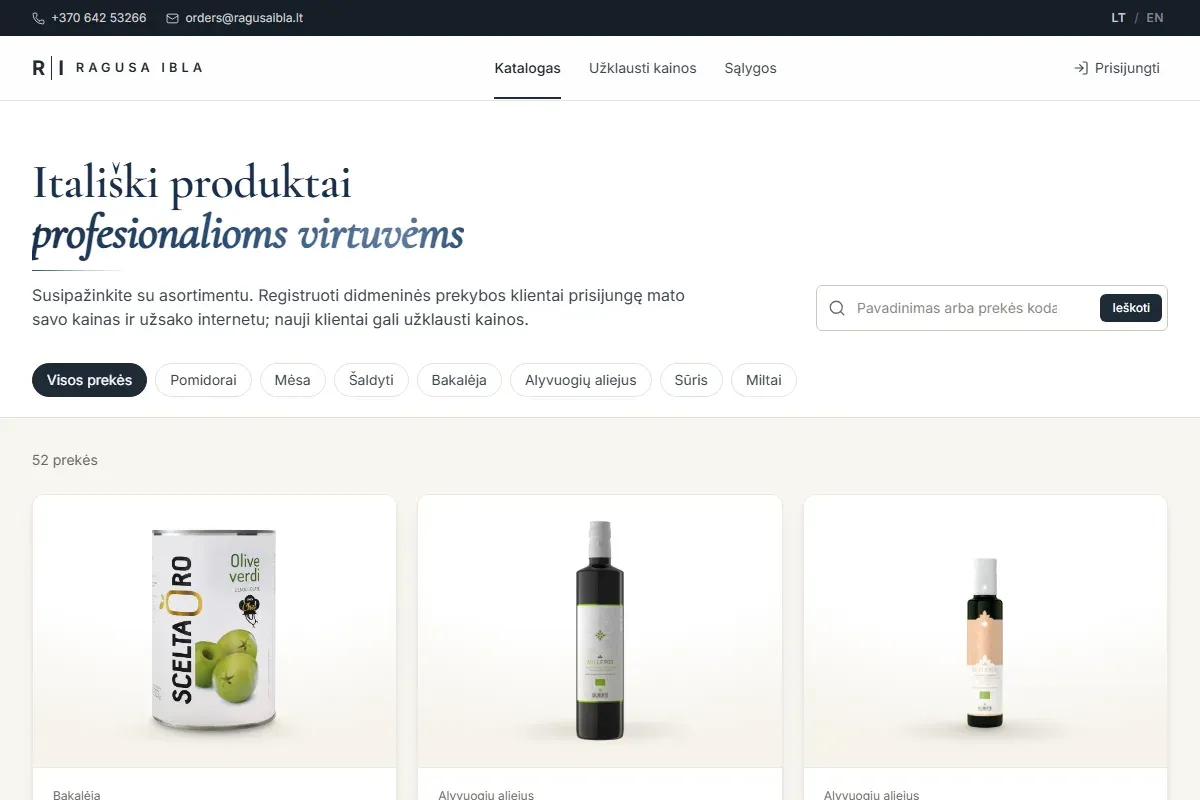
A private catalogue for trade customers with their own prices and terms, a basket, repeat orders, order history and status. An order goes straight to the people who fulfil it rather than into somebody’s inbox.
Client portals
A signed-in space where clients see their projects, invoices, documents or request status, and can handle part of the work themselves. Fewer “any news on my order?” emails, more time for the work itself.
Internal tools and dashboards
Admin areas, approval flows, scheduling, stock or task tracking, and dashboards with the figures that matter. They replace the spreadsheets that several people are editing at the same time today.
Roles and permissions
A customer, an account manager, the warehouse, finance and an administrator each see different data and can take different actions. We map the permissions with you before the build, so you never end up with everyone seeing everything.
Integrations with the systems you already use
A platform rarely stands alone. We can connect it to your accounting software, ERP or CRM, to transactional email, Google Sheets or other tools you rely on. Exactly what gets connected depends on what your systems allow, and we check that during scoping.
What this can look like
For example, a wholesaler whose customers send orders by email spends a few hours every day retyping them into the accounting system. In version one of the platform, customers sign in, see their own prices, pick products and submit the order. An account manager approves it in one click and the order passes to accounting. Version two might add repeat orders, delivery status and a report for management.
Another example: a service business whose clients email their documents. In a client portal, they upload the documents themselves, see which ones are still missing and get a notification when the work is done.
How we scope it
The biggest risk in a platform project is trying to build everything at once. So we start with a short discovery phase: how the process runs today, who takes part, where most time is lost and what data moves between systems. The output is a written process, a list of roles and a clear line between what version one needs and what can wait.
Version one solves one or two key processes end to end. It goes into real use, and later features are built on how people actually work. That way you avoid features nobody uses and pay for what earns its place.
Security and data ownership
Platforms often hold customer data, prices and contracts, so we plan security from day one rather than bolting it on at the end. Sign-in and permissions are checked on the server, not only in the browser, passwords are stored hashed, and actions on sensitive records can be written to an audit log. We build with GDPR in mind: collect only the personal data you need and document where it is kept.
The code, the database and every account belong to you. We adapt to any tech stack your project needs, and choose technology that another team could maintain later, not only us.
Hosting and support
We can host the platform for you or deploy it to your own cloud account. Either way, we set up regular backups, uptime monitoring and a separate staging environment, so changes are tested before your customers see them.
After launch a platform keeps moving: new customers, new processes, new ideas. We can keep maintaining and developing it, with an agreed scope and response time for issues, or hand everything over to your team with documentation.
How we work
- Discovery. A conversation about your process, people and systems. Where useful, we look through the current spreadsheets and email flow.
- Scope and estimate. We describe version one, the roles, integrations and timeline. Nothing is built until you approve it.
- Design. We draft the key screens and walk through them with the people who will use the platform every day.
- Build and test. We build in stages, show you a working version regularly and test with realistic sample data.
- Launch and support. We migrate the data, train your team, go live and keep maintaining and developing the platform.
Not sure you need a full platform yet? Sometimes it is enough to automate a single process first. If you are building a product to sell to other companies, read about SaaS and MVP development. And our pricing pageexplains how a project estimate comes together.